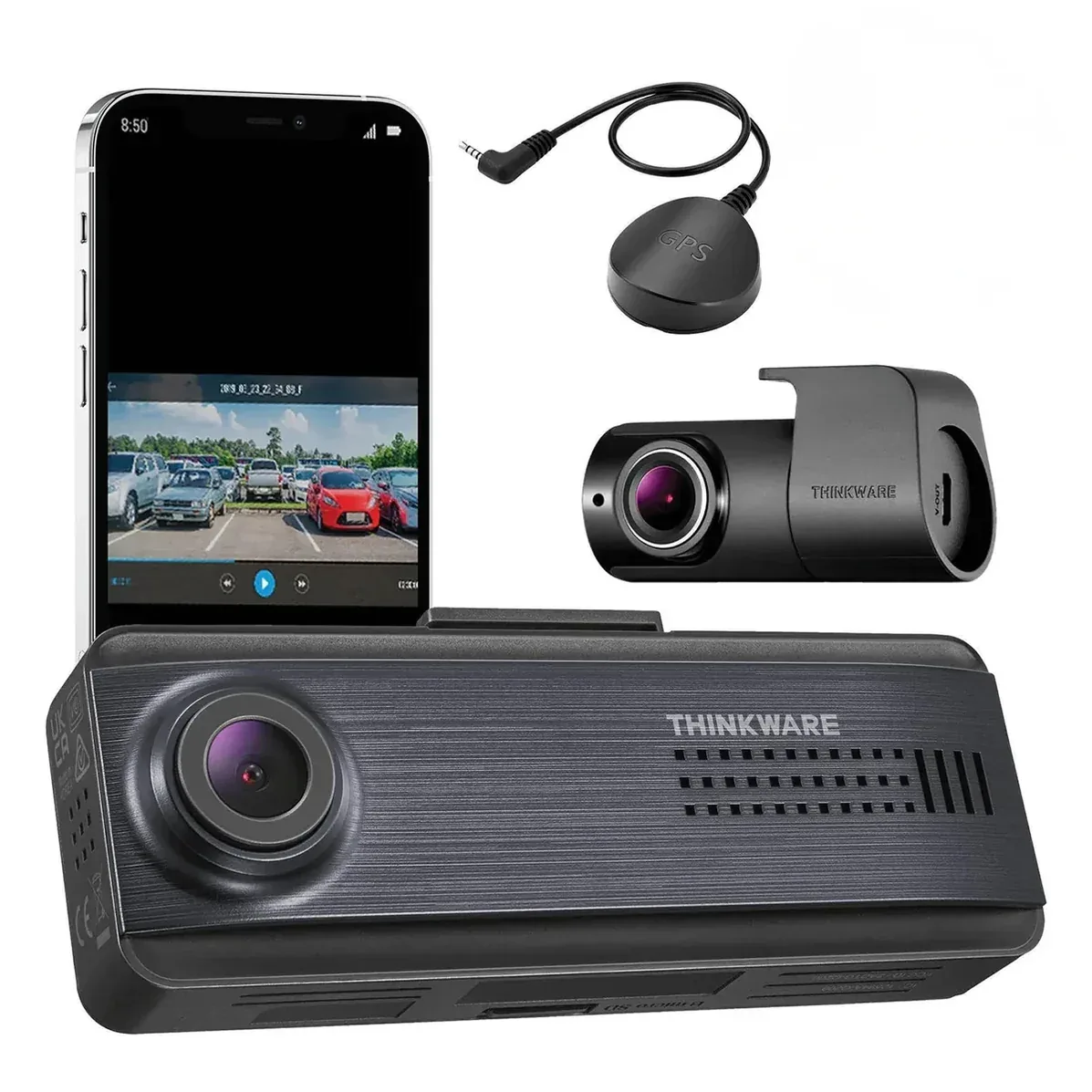
Thinkware Q200 2CH
No rating shown: we have no owner rating for this camera from a source we can cite. Why
Thinkware's budget two-channel camera is the Q200, and its defining number is the lens: 125 degrees on both cameras, the narrowest field of view in this catalog. That sounds like a downgrade and mostly is not. Spreading 2560 pixels over 125 degrees gives about 20 horizontal pixels per degree, which is better than several 1440p cameras that quote 155 or 160 degrees and sell for more - a narrow lens is a cheap way to buy plate legibility. What you lose is peripheral coverage: a car entering from a driveway at the very edge of your vision may be outside the frame in a way it would not be on a 155-degree camera. The rear drops to 1080p at the same 125 degrees. A GPS antenna is included, which unlocks Thinkware's safety-camera alerts, and Wi-Fi with Bluetooth pairing is built in. Supercapacitor power, the family's 14 to 140 degree Fahrenheit range, a 256GB ceiling and a screenless wedge body complete it.
- Approx. price
- ~$200
- Hot car
- Supercapacitor
- Supercapacitor, rated to 140°F
- Parking tier
- Buffered
- Hardwire kit optional
A budget two-channel install that prioritises plate legibility over peripheral coverage.
The description and the pros and cons above are written from published specifications, not from owner reports. Owner sentiment, where we have it, is in its own section below.
What the numbers mean here
The front camera records 2,560 horizontal pixels across a published 125-degree field of view, which is 20.5 pixels per degree — plate-legible a few lengths ahead. The rear channel manages 15.4, so it is the less detailed of the two. How this is calculated, and what it does not tell you.
It runs on a supercapacitor rather than a lithium cell, so there is no battery to swell in a car parked in summer sun — the classic way a windshield-mounted camera dies. The maker publishes an operating range of 14°F to 140°F. Supercapacitors and heat.
Keeps a rolling buffer, so the seconds before an impact are saved as well as the impact itself. It is the most useful parking mode and the hungriest. The hardwire kit is a separate purchase, which is the line item people forget when budgeting. What each parking mode records.
Specifications
Manufacturer-published figures, recorded from Thinkware’s own product page and a specialist retailer’s spec table. Fields the maker does not publish are omitted rather than guessed.
- Type
- Dual-channel
- Channels
- 2
- Front resolution
- 1440p
- Front frame rate
- 30fps
- Front sensor
- OmniVision
- Front field of view
- 125° (as published)
- Rear resolution
- 1080p
- Rear sensor
- OmniVision
- HDR
- HDR
- Power cell
- Supercapacitor
- Operating temperature
- 14°F to 140°F
- Parking modes
- buffered, time-lapse, motion
- Hardwire kit
- optional
- GPS
- built-in
- Wi-Fi
- 2.4 GHz
- LTE / cloud
- None
- Max storage
- 256GB microSD
- CPL filter
- optional
- Screen
- None
- Voice control
- No
- Form factor
- wedge
- Mount
- adhesive
- Release year
- 2025
Features
- Front 1440p and rear 1080p on 125-degree lenses
- GPS antenna included for safety-camera alerts
- Wi-Fi with Bluetooth pairing
- Supercapacitor power
- Buffered, time-lapse and motion parking modes
- Screenless wedge body, microSD to 256GB
Where it is strong
- The 125-degree lens gives about 20 px per degree - better plate density than several 1440p cameras costing more
- GPS antenna in the box rather than as an accessory
- A supercapacitor at Thinkware's lowest price, where most of the budget field still ships lithium
- Thinkware's flat screenless install at about a third of the U3000's price
Where it gives way
- 125 degrees leaves real gaps at the edges - a car entering from a side driveway can fall outside the frame
- OmniVision sensors rather than the Sony STARVIS modules the rest of the line uses
- 2.4GHz Wi-Fi only, and the rear channel is only 1080p
- No radar option, no voice control and the family's narrow temperature range
What owners say
Summarised from public owner discussion. Nothing here is our own testing.
The Q200 is the Thinkware people buy when they want the brand's supercapacitor and parking behaviour without the flagship price, and the OBD connection is the specific feature that closes the sale - owners on leased cars in particular like that nothing has to be permanently modified.
The odd report to know about is a camera that appeared to reformat its own card and then recorded continuously while parked, rather than in the configured parking mode. That is a behaviour worth checking for after install: park the car, leave it, and confirm what the camera actually wrote.
The other limitation is the app's review workflow. Owners want to scrub through a whole drive rather than wait for the camera to decide which clips to surface, and the app does not really support that. Pulling the card is the answer, which is a step backwards from what people expect from a connected camera.
What owners like
- The OBD connection with easy setup is the feature owners name as the reason to choose it over a camera that needs a fuse tap
- Owners shortlisting Thinkware specifically because the whole line uses supercapacitors put this at the affordable end of that list
- Owners who want parking mode but not a complicated install find it the simplest route to it
- Cheap enough that owners who had budget cameras fail elsewhere treat it as the safe step up
Common complaints
- One owner found the camera had apparently reformatted its own card and was recording continuously even when parked, which is not the behaviour they configured
- The app's handling of full drives is limited enough that owners ask whether they can review a whole journey rather than waiting for clips to upload
- At 1440p across a 125-degree lens it is a modest image, and owners choosing on video quality alone look elsewhere
- Owners on leased cars worry about whether a fuse tap is reversible, which pushes them toward the OBD cable even where hardwiring would be tidier
What owners of the Thinkware Q200 2CH ask
Do I need a fuse tap or will the OBD cable do?
Why is it recording continuously while parked?
Can I review a whole drive in the app?
Is the image quality good enough?
Compare the Q200 2CH
Similar cameras
Thinkware Q1000
- Front px/°
- 16.4
- Front
- 1440p/30
- 156° lens
Thinkware ARC900
- Front px/°
- 26.1
- Front
- 2160p/30
- 147° lens
Thinkware U1000
- Front px/°
- 25.6
- Front
- 2160p/30
- 150° lens